
Wait, However
Mounting LLM on iOS app and more.
"Wait, However" is a new kind of fact-checking app that works like a filter. Before you read an article, you can just share the URL to the app — that’s it. Using the power of LLMs, Wait, However shows you what you might’ve missed: key points, opposing perspectives, and more. We also added features like translation detection and summary extraction. This is a story about all the failures we ran into while building Wait, However.
Translation Detection
In 2024, the Korean National Security Agency reported that Chinese news companies were intentionally creating fake news outlets using news wireframe networks to manipulate public opinion.
It's getting hard to tell the difference between real Korean news websites and fake Chinese ones.
As you can see below, left is the real korean news website and the right is fake chinese website.
So, I decided to make an AI model that can tell apart translated Korean from natural Korean.

Extraction Summary


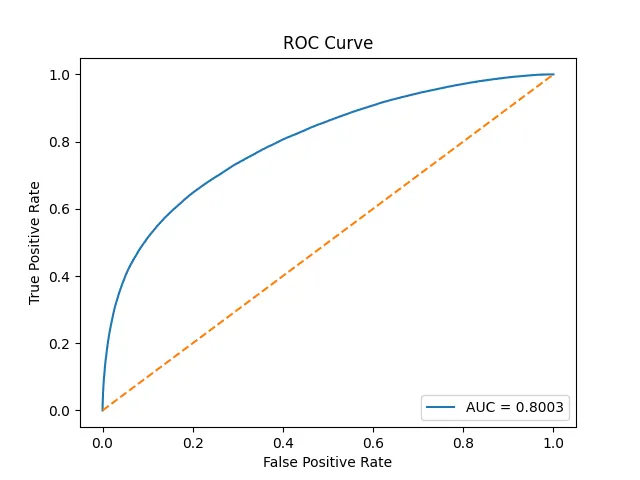
There are two types of summaries: generative summaries and extractive summaries. Generative summaries use generative AI to create a new summary — it’s a well-known feature in tools like ChatGPT and Claude. On the other hand, extractive summaries are simpler and more intuitive — they just pull out the key sentences from the article. I decided to go with extractive summarization for two reasons. First, I wanted to run the model on a Flutter app, which meant I couldn’t use a heavy generative model. Second, generative models can be influenced by AI bias — in the broader sense of the term — which I wanted to avoid. So, I trained a model using KoElectra and pre-trained it on AI-Hub’s Korean extractive summarization dataset. It reached about 81% accuracy, meaning it does a pretty good job at picking out the important sentences.
Mounting LLM and AI models on Flutter
This is where the real problems started.
After successfully pretraining the AI models, I needed to mount them on a Flutter app for on-device inference.
There are a few packages that can help with this, like ONNX Runtime, TensorFlow Lite, and Flutter Gemma.
First, for models like LSTM and KoElectra, I tried using ONNX Runtime.
That meant I had to convert the model files from .pt or .pth to .onnx.
But here's the catch: ONNX didn’t support inference on the app — it just didn’t work as expected.
Second, for LLMs, I used llama.cpp, which is known for its easy CPU inference support.
I had to convert the model to a .gguf file, and luckily, llama.cpp provides these directly.
But again, issues started piling up — problems related to Apple's Metal (GPU stuff), dynamic libraries, and so on.
I managed to get through most of them by carefully following various guides.
But the biggest hurdle? Memory allocation errors.
No matter what I did, the model would just crash on some devices.
The full, detailed story — including the technical headaches — is in my Medium posts below:
[Fail Log] Flutter llama.cpp on iOS (Part 2)